
How to Search the Frisco Court Docket
Check the ticket and see which court it names. That decides where the Frisco court docket search happens. The city's Tyler search accepts several key combinations: citation number with birth date, driver license details with birth date, Social Security number with birth date, license plate with state, name with birth date, or a business name. The citation number works best. It matches one case and avoids mix-ups.
- Read the citation for the court and number.
- Open the Frisco municipal search or e-Court Options page.
- Select the search mode that matches the identifier.
- Review status, setting, and available choices.
- Call the clerk when a record or date is unclear.
- Use county search only if a county court is named.
The Collin County Judicial Online Search is usually the wrong tool for a Frisco Class C case. That county docket covers District, County Court at Law, probate, and Justice Court matters. It refreshes daily at 6 p.m. A city ticket stays with Frisco. Only an appeal or transfer creates a county cause number.
Frisco Court Docket Option Menu
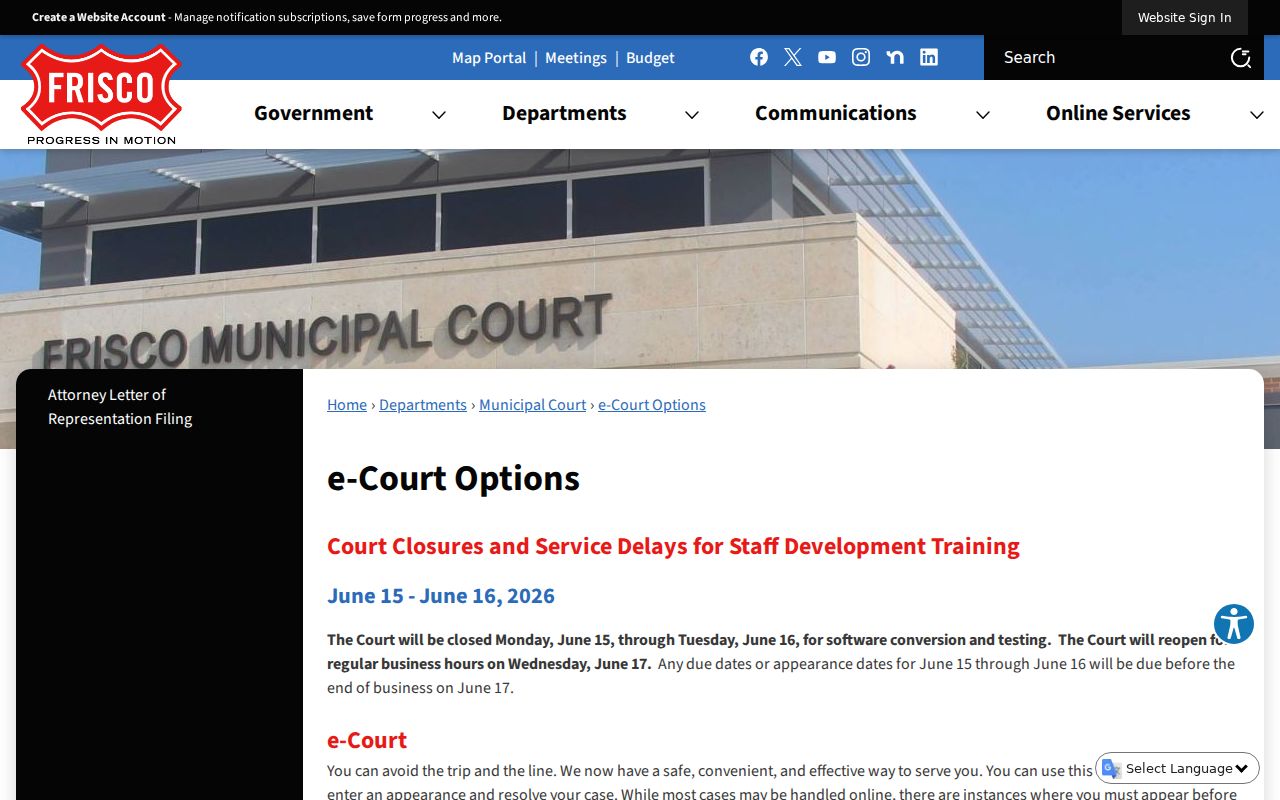
The city publishes a full menu on its e-Court Options page. Choices there include defensive driving, deferred disposition, dismissal for expired registration or an expired driver license, defective equipment, proof of insurance, handicapped parking, an extension to pay, a tobacco suspended sentence for some people ages 17 through 21, payment plans, continuances, pretrial dates, and jury exemptions. That range sounds generous. Approval is never automatic.
Frisco warns that staff review can take up to five business days. Hold onto your submission confirmation, watch for the response, and check the docket meanwhile. A request under review is not an order resetting a hearing. The city's official screen lists the online options available to anyone holding a citation.
Request versus approval: the menu makes this gap matter. Submitting a form asks the court to act. It does not grant anything by itself.
The Frisco Municipal Court
Frisco Municipal Court sits at 8450 Moore Street, Frisco, TX 75034. The clerk answers at 972-292-5555. Walk-in hours run Monday through Friday, 8:30 a.m. to 4:30 p.m. The court handles Class C misdemeanors and city ordinance violations inside Frisco's corporate limits. All are fine-only municipal matters.
Note the other addresses before you drive. The George A. Purefoy Municipal Center is at 6101 Frisco Square Boulevard. A payment drop box stands outside the court at 6865 Main Street. Each serves a different purpose, so confirm your destination before traveling or dropping off documents. The judge's name is not listed on the court's official pages. Ask the clerk or check the live docket setting for that detail.
Frisco Court Docket Review Window
Patience is part of the Frisco process. Staff review of an e-Court submission can take up to five business days, and many people mistake the electronic receipt for an instant ruling. The receipt only proves Frisco got the request. It does not mean deferred disposition, defensive driving, a continuance, or any other option was approved.
Setting approaching? Call 972-292-5555 if the review window overlaps a court date. Do not assume an online request canceled or moved the setting.
One more wrinkle exists. Frisco has posted a June 2026 conversion and testing notice, so a system transition may be underway. Keep the clerk's number next to the portal link. When the screen and a court notice disagree, ask the clerk to verify the docket entry.
Frisco Court Dates and Settings
Read a Frisco docket setting by its event type. A pretrial date, a continuance request, a compliance deadline, and a trial setting each carry a different task. One rule applies to younger defendants. Juveniles under 17 must appear with a parent or guardian, per the city's instructions, and online service does not erase that requirement.
| Date | The current event date shown by the city court. |
|---|---|
| Time | The check-in or docket-call time. |
| Courtroom | The room or approved appearance channel. |
| Judge | The officer named on the current notice, if shown. |
| Setting Type | Pretrial, trial, compliance, plea, or another event. |
Always confirm a reset directly. A calendar screen can change, and an option request may still be under review. Save the current notice and any clerk confirmation so you can match the setting to the right citation.
Frisco Court Docket by Numbers
The Texas Office of Court Administration FY2024 municipal table covers Frisco. It lists a 2023 Frisco population of 225,007. The Frisco row began the period with 7,460 active cases. It reactivated 4,061 and added 17,437. It disposed 16,123, made 5,290 inactive, and ended with 7,581 active. These figures count case events, not unique people.
Reactivation and inactive shifts dominate that Frisco row. The counts describe one official reporting period only. They are not a measure of current delay or a forecast for a pending request, so rely on the live municipal court docket and the clerk for a single case.
Frisco Traffic Tickets
Frisco takes online payment through a Tyler portal. The city's payment page also lists a phone option at 1-800-444-1187, staffed Monday through Friday from 8 a.m. to 5 p.m. and Saturday from 9 a.m. to 2 p.m. Clerk help stays at 972-292-5555. Accepted methods include cash, major cards, money orders, cashier's checks, and personal checks. Warrants are an exception.
Expect a 3.95% card fee and a $35 returned-check or chargeback fee. Paying voluntarily counts as a conviction, and it can cut off defensive driving or deferred disposition later. Plan to contest? Use the court's appearance process before paying anything. The Collin County traffic court records page explains how a city citation differs from a county JP ticket.
Frisco Court Docket Search Screen
Use the official Frisco Tyler search to check a citation's status and your options. It follows the usual municipal Tyler pattern. You can look up a citation, a license, a vehicle, a name, or a business. It does not promise a scanned register. Not every pleading and order in the Frisco court docket appears there.
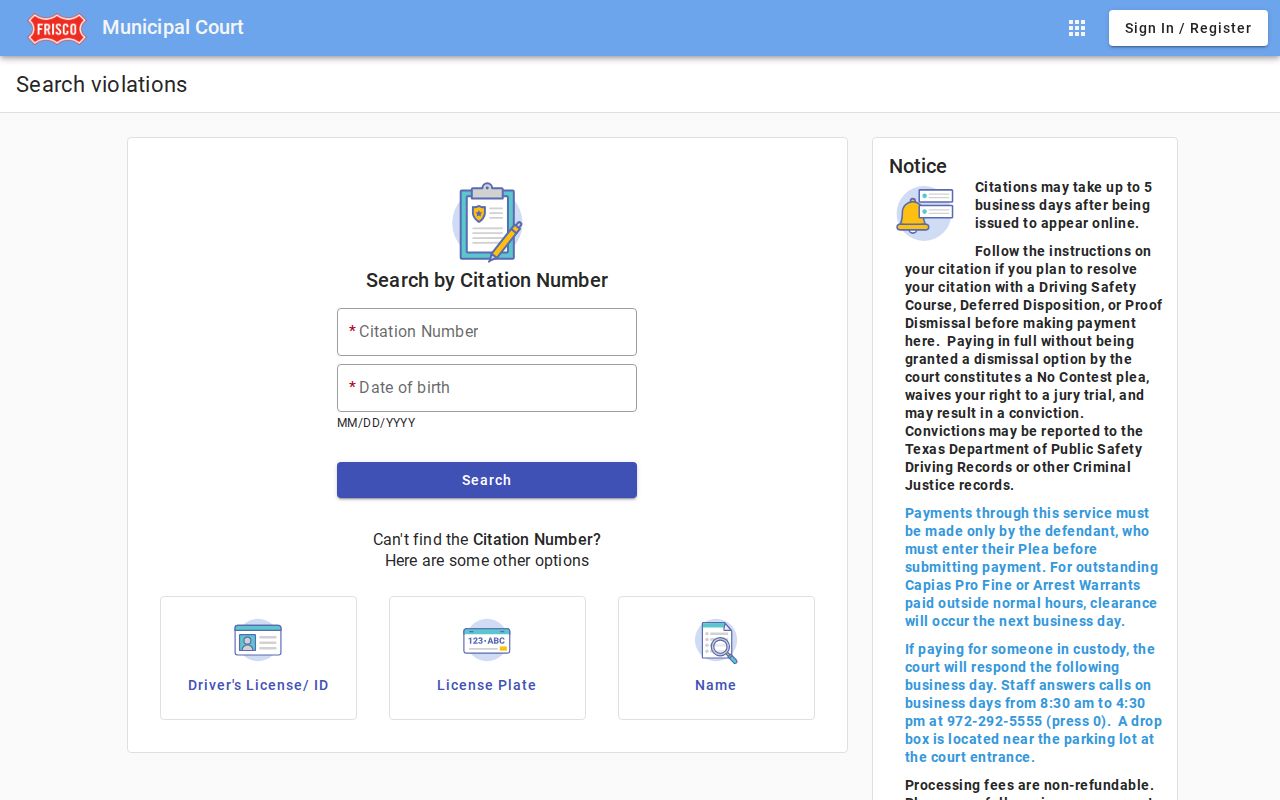
The screen handles the lookup itself. Certified copies and other records still run through the municipal clerk. If your Frisco result is missing, resist the urge to jump into a county felony or civil search without a notice naming that court. Call Frisco first. Have the exact citation number ready so the clerk can narrow the question fast.
Where Frisco Cases End Up
A Frisco ordinance or Class C case stays on the municipal docket. An appeal or transfer can move it. Class A and B misdemeanors go to the Collin County Courts at Law instead. Felonies and the bigger civil and family cases land in the Texas District Courts. The District Clerk keeps the file there. Where the conduct happened does not merge these court levels. Frco cases split by level, not by city limits.
Docket flow: Frisco Municipal Court › Collin County Courts › Texas District Courts
Appealing? Ask the Frisco clerk for the county cause number and the receiving court. Do not assume it will show up as an ordinary District Court case. Once you know the court level, turn to the Collin County court docket overview. It lays out the county routes.
Frisco Deferred or Extended
Deferred disposition and an extension to pay are not the same tool. An extension just moves the deadline for payment. Deferred disposition is a court-approved path, and its conditions plus successful completion shape how the Frisco case ends. Defensive driving carries its own eligibility and document rules. A pay button replaces none of these.
| Route | Main question | Next proof |
|---|---|---|
| Extension | Is more payment time approved? | Clerk response or order |
| Deferred disposition | Is the case eligible? | Terms and completion entry |
| Defensive driving | Are course rules met? | Approval and filed proof |
Make your choice through the e-Court menu, then watch for staff review. If a deadline arrives first, contact the Frisco clerk rather than waiting with no confirmation.
Frisco Warrant Payment Exception
A warrant changes the normal payment routes in Frisco. The city's instructions exclude some ordinary methods for warrants, so call the court before mailing a check or using a drop box. Paying also does not mean the warrant status flips at once. A bank charge proves money moved. The court entry shows how the municipal case was treated. Keep that distinction in mind. Here is the safe sequence. Identify the citation, call 972-292-5555, ask which payment or appearance route fits, keep the receipt, and confirm the docket afterward. This is a city-specific status issue, and a county clerk should not handle it unless the notice names a county court. Ask whether the court requires an appearance, whether online payment works for your specific status, and when the docket should reflect the transaction. A charge on its own is not a result. If the portal still shows the old status after the stated time, do not wait. Give the clerk your confirmation number and citation number.
Public Access to Frisco Court Records
Public Frisco municipal material is available through the portal, or by asking the clerk by phone, at the 8450 Moore Street counter, or through a city records route. Name the exact record you need, whether a citation, a disposition, or something else. Restricted, sealed, and juvenile information may be withheld or redacted.
Key Rules:
Texas Rule of Judicial Administration 12 governs judicial-record requests and exceptions.
Texas Government Code § 552.0035 directs judiciary access to court rules and applicable law.
Texas Family Code Chapter 58 protects juvenile records.
The Texas Public Information Act may shape a city request, though filed court records also answer to judicial rules. To confirm the correct custodian, contact Frisco Municipal Court.
Direct Frisco clerk confirmation remains the final check.